
Your Cards. Your Control.
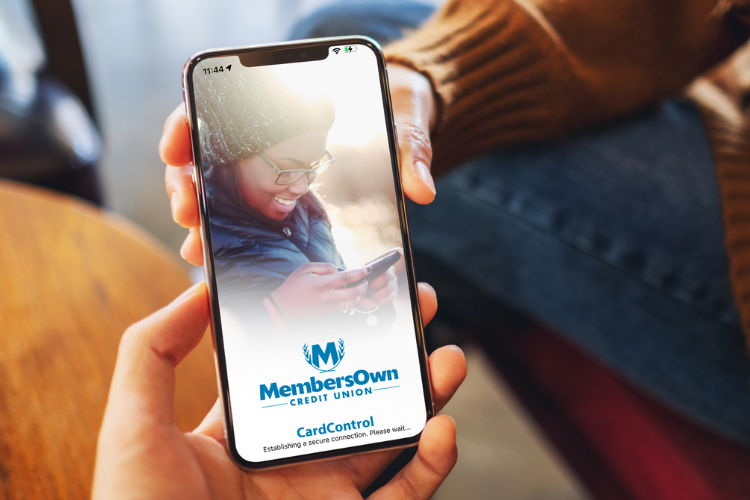
Managing your MembersOwn debit and credit cards is easier with CardControl. The free CardControl app gives you convenient access to card management tools, transaction insights, alerts, and more, all from your mobile device.
Whether you’re checking a transaction, making a credit card payment, setting travel plans, or temporarily turning off a misplaced card, CardControl puts more control in your hands.
More Ways to Manage Your Cards
CardControl puts helpful card management tools right at your fingertips, giving you more visibility, flexibility, and control over your MembersOwn debit and credit cards.
Whether you’re keeping an eye on your spending, managing your card settings, making a credit card payment, or preparing for a trip, you can take care of more on your own schedule.
Explore the features here and find the tools that make managing your cards easier.
Getting Started:
CardControl uses a separate login from MembersOwn online and mobile banking, so first-time users will create a new CardControl username and password.
Once registered, select the + icon to add your MembersOwn debit or credit card.
Turn Your Card On or Off
Misplaced your card? Turn it off while you look for it, then turn it back on when you find it.
Set Card Controls & Alerts
Set transaction limits, control where your card can be used, and receive alerts when transactions occur.

Monitor Your Spending
Use Spend Insights to see your card activity by category, date, and location, helping you better understand your spending.

Manage Your Credit Card
Credit cardholders can check balances, make payments, view transactions, and access statements right from the app.
View Your Digital Card
Need your card information while shopping online? Securely view your card number, expiration date, and CVV after verifying your identity.

Manage Travel Plans
Let us know when you’re traveling to help prevent legitimate card transactions from being flagged because of unexpected activity.
Do I use my MembersOwn online banking login for CardControl?
No. CardControl uses a separate login. The first time you use the app, you’ll need to create a new CardControl username and password.
How do I add my MembersOwn card?
After creating your CardControl login, select the + icon and enter your MembersOwn debit or credit card information to add your card to the app.
Can I turn my card off if I lose it?
Yes. If you’ve misplaced your card and believe it’s somewhere safe, you can turn it off through CardControl to prevent transactions while you look for it. If the card is lost or stolen, CardControl provides the information you need to report it and request a replacement.
Can I receive alerts when my card is used?
Yes. CardControl allows you to set transaction alerts so you can stay informed when activity occurs on your card.
Can I control where my card can be used?
Yes. CardControl lets you set transaction limits, control certain merchant types, and use location-based controls to help manage how your card is used.
Can I make my credit card payment through CardControl?
Yes. You can make a one-time or recurring payment and choose a minimum payment, specific dollar amount, or full balance.
Can I see my credit card statements in CardControl?
Yes. Credit cardholders can access their statements through the CardControl app without having to separately access the credit card account.
Can I see where I’m spending money?
Yes. Spend Insights organizes your card transactions by category, date, and location when location information is available, giving you a clearer picture of your card spending.
Can I see which businesses have my card saved?
CardControl’s Card on File feature can show some websites and merchants that have your card information saved. You may also see many subscriptions and recurring payments associated with your card and access the merchant’s website directly.
What should I do if my card is lost or stolen?
If your card is lost or stolen, use CardControl’s Report Lost or Stolen feature to access the appropriate contact information to request a replacement. If you have only misplaced your card and believe it is somewhere safe, you can turn it off while you look for it.
Talk to a Real Person
in Your Community
MembersOwn is here to talk things through, answer questions, and help you decide what makes sense for your life—with friendly guidance from people who live and work right here in Nebraska.
Lincoln Branch
1391 South 33rd Street
Lincoln, NE 68510
402.436.5365 (Text Friendly)
Beatrice Branch
2600 Eastside Boulevard
Beatrice, NE 68310
402.223.4204
Contact Form
"*" indicates required fields