
Banking That Moves With You
You are here, there, and everywhere. Good thing MembersOwn is with you, day and night, in the form of our handy mobile banking application.
With the MembersOwn Mobile Banking app, you can securely manage your finances wherever life takes you.
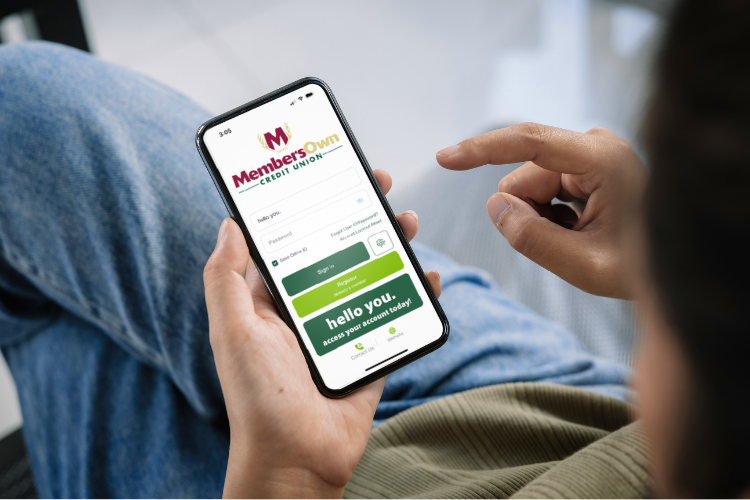
The MembersOwn Mobile Banking app gives you convenient, secure access to your accounts anytime, anywhere. From checking balances and reviewing transactions to transferring funds and depositing checks, you can manage your finances right from your mobile device.
Once you’re enrolled in Online Banking, getting started with Mobile Banking is simple. Download the app, log in using your Online Banking credentials, and start banking on your schedule.
Features & Benefits
Life doesn’t slow down, and your banking shouldn’t either.
Whether you’re at home, at work, or on the go, your accounts are always within reach.
With MembersOwn Mobile Banking, you can securely manage your finances whenever it’s convenient for you.
Check balances, deposit checks, transfer funds, pay bills, manage your debit card, receive account alerts, and monitor your activity—all from the palm of your hand.
It’s a secure, convenient way to stay connected to your money and confidently manage your finances wherever life takes you.
Check Account Balances
Quickly view your balances and stay on top of your finances.

Review Transaction History
Monitor recent activity and keep track of your spending.
Transfer Funds
Move money between eligible accounts with just a few taps.
Mobile Deposit
Deposit checks securely from your smartphone without making a trip to a branch.
Manage Your Debit Card
Turn your debit card on or off, report a lost card, review transactions, and manage your card with confidence—all from within the app.
Account Alerts
Stay informed with customizable account and security alerts delivered by push notification or text message, helping you monitor account activity.
What can I do with Mobile Banking?
You can check balances, review transaction history, transfer funds, deposit checks, locate branches and ATMs, and access information about products, rates, and services.
Do I need Online Banking to use Mobile Banking?
Yes. You must be enrolled in Online Banking before accessing Mobile Banking.
Is Mobile Banking secure?
Yes. Our Mobile Banking app uses security features designed to help protect your account information and provide secure access to your finances.
Can I deposit checks using my phone?
Yes. Mobile Deposit allows you to deposit eligible checks directly from your smartphone.
What is SavvyMoney Credit Score?
SavvyMoney is a free credit monitoring tool available within Mobile Banking. You can check your credit score daily, view your full credit report, receive real-time credit monitoring alerts, and access personalized recommendations, all without impacting your credit score.
How do I get started?
Enroll in Online Banking, download the MembersOwn Mobile Banking app, and log in using your Online Banking credentials.
View our mobile banking privacy policy here.
Talk to a Real Person
in Your Community
MembersOwn is here to talk things through, answer questions, and help you decide what makes sense for your life—with friendly guidance from people who live and work right here in Nebraska.
Lincoln Branch
1391 South 33rd Street
Lincoln, NE 68510
402.436.5365 (Text Friendly)
Beatrice Branch
2600 Eastside Boulevard
Beatrice, NE 68310
402.223.4204
Contact Form
"*" indicates required fields